

Manual receipt tracking is one of those tasks that feels manageable until it isn't. You stuff paper receipts in a drawer, forward confirmation emails to yourself, and tell yourself you'll sort it all out before tax season. Then April arrives and you're spending a weekend reconstructing three months of expenses from memory. The benefits of automated receipt tracking go far beyond convenience. They touch your cash flow, your audit readiness, your fraud exposure, and the hours you spend on work that adds zero revenue to your business. This article breaks down exactly what you gain when you stop doing this manually.
Table of Contents
- Key takeaways
- 1. The core benefits of automated receipt tracking start with cost reduction
- 2. Improved audit readiness through traceable digital records
- 3. Real-time cash flow visibility you can actually use
- 4. Fraud detection that manual reviews consistently miss
- 5. Gap detection through bank and card transaction reconciliation
- 6. Faster approvals through rule-based workflow automation
- 7. How to track receipts automatically: a practical comparison
- My take on what actually matters in receipt automation
- See how Typezero handles all of this for you
- FAQ
Key takeaways
| Point | Details |
|---|---|
| Automation cuts real costs | Manual expense reports cost an average of $58 each, plus $52 per correction, making automation a direct financial win. |
| Audit trails are built automatically | Systems that store images, timestamps, and approval metadata give you defensible records without extra effort. |
| Real-time visibility changes decisions | Capturing expenses as they happen lets you spot budget leaks and subscription creep before they compound. |
| Cross-referencing prevents lost deductions | Reconciling receipts against bank transactions catches missing documentation before an auditor does. |
| Workflow rules reduce bottlenecks | Auto-approving small expenses and flagging unusual ones keeps reimbursements moving without sacrificing oversight. |
1. The core benefits of automated receipt tracking start with cost reduction
The numbers here are not abstract. Manual expense reports cost an average of $58 each to process, and when errors occur, each correction adds another $52 to that bill. With a 19% error rate across manually processed reports, a small business running even 20 expense reports a month is looking at significant rework costs every year.
Automated systems eliminate most of that friction. OCR technology reads vendor names, amounts, dates, and categories directly from receipt images or forwarded emails. No manual data entry means fewer transcription errors. Fewer errors mean fewer corrections. The math is straightforward.
- No manual keying of receipt data into spreadsheets
- Automatic categorization reduces misclassification
- Faster processing cuts approval cycle time
- Lower error rates reduce correction costs significantly
Pro Tip: When evaluating receipt tracking software, ask specifically about first-pass accuracy rates. A system with 95% accuracy sounds good until you realize that 5% error rate on 200 monthly receipts still means 10 corrections per month.
2. Improved audit readiness through traceable digital records
Most small business owners think about audits only when they happen. That's the wrong time to discover your records are incomplete. The advantages of digital receipt management become most obvious when you need to prove a deduction under pressure.
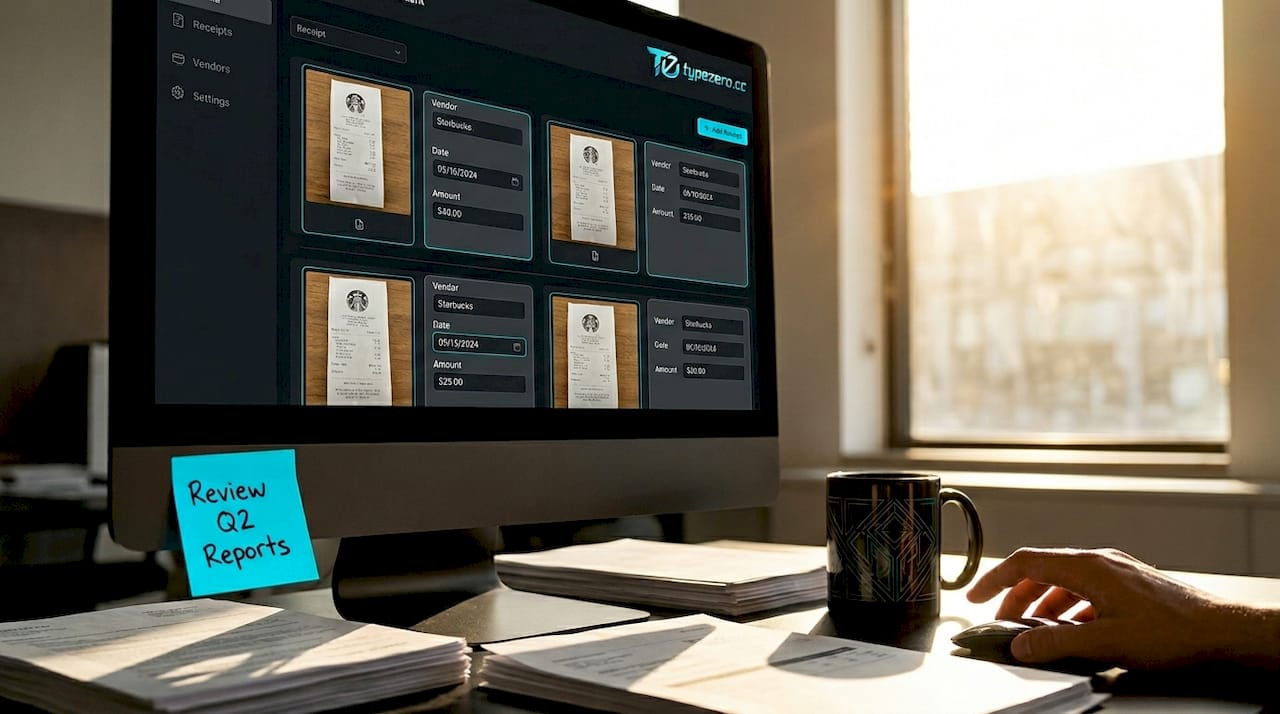
Automated systems do more than store images. Audit-proof records combine the original receipt image, extracted data fields, processing timestamps, confidence scores, and approval events into a single traceable package. Auditors don't just want to see a receipt. They want a chain of evidence showing the receipt was captured, reviewed, and approved through a consistent process.
Pro Tip: Choose systems that store the original receipt image alongside the extracted data and any edit history. If a field was corrected manually after extraction, that edit should be logged. That transparency is what makes a record defensible.
Paper receipts fade. They get lost. They get coffee spilled on them. A digital record stored with 256-bit encryption doesn't have those problems. And when your CPA needs documentation, you send a clean export instead of a shoebox.
3. Real-time cash flow visibility you can actually use
Here's a scenario most small business owners recognize. You check your bank balance, it looks fine, and then you remember the three software subscriptions that hit next week and the contractor invoice you approved yesterday. Manual tracking always lags behind reality.
Logging expenses as they happen gives you an accurate financial picture at any point in the month, not just after you've reconciled everything at month-end. That shift matters more than it sounds.
- Spot subscription creep before it compounds across quarters
- Identify which expense categories are trending up in real time
- Compare actual spending against budget without waiting for month-end close
- Catch duplicate charges from vendors immediately
When you know your current expense position, you make better decisions. You don't approve a discretionary purchase the week before payroll because you're working from a financial snapshot that's three weeks old. Real-time data turns expense tracking from a reporting function into a planning tool.
4. Fraud detection that manual reviews consistently miss
Expense fraud in small businesses is underreported because manual review processes simply aren't built to catch it. A manager reviewing 40 expense reports a month is looking for obvious problems. Subtle patterns, like a receipt submitted twice with slightly different amounts, or weekend purchases from vendors that only operate on weekdays, slip through.
Automated systems flag these patterns in real time. Duplicate detection, amount mismatch alerts, and vendor anomaly checks run on every submission without fatigue or distraction.
- Duplicate receipt detection across all submissions
- Alerts for transactions outside normal business hours or locations
- Amount mismatch detection between receipt and claimed amount
- Policy violation flags for out-of-category spending
Pro Tip: Look for solutions that let you configure fraud detection rules to match your specific business context. A catering company has different normal spending patterns than a software consultancy. Generic rules generate noise; customized rules generate signal.
The deterrence effect matters too. When employees know that submissions run through automated checks, the temptation to inflate or duplicate claims drops significantly.
5. Gap detection through bank and card transaction reconciliation
This is the benefit most articles on automated expense tracking skip entirely, and it's one of the most valuable. Standard receipt tracking systems only see what you feed them. If you forget to upload a receipt, that expense simply doesn't exist in your records.
Cross-referencing receipt data against your bank and credit card transactions changes that dynamic. The system compares what was captured against what actually cleared your accounts, then surfaces the gaps.
"The biggest audit-time benefit often comes not from OCR accuracy but from completeness of records ensured by transaction cross-referencing, catching missing receipts early."
- Bank transactions without matching receipts get flagged automatically
- You're prompted to locate or reconstruct missing documentation before it becomes an audit problem
- Lost deductions get recovered because missing expenses are identified proactively
- Your records reflect actual spending, not just the receipts you remembered to submit
A freelance designer who runs $4,000 a month through a business card might forget to capture receipts for 8 to 10 transactions. Without reconciliation, those expenses either go undeducted or get claimed without documentation. Both outcomes cost money.
6. Faster approvals through rule-based workflow automation
The automated expense tracking benefits extend beyond data capture into how expenses move through your organization. Every business has a version of the same bottleneck: expenses sit in someone's inbox waiting for approval, reimbursements get delayed, and the person waiting for their money sends follow-up emails.
Rule-based approval workflows solve this without removing human oversight where it's actually needed. Small, routine expenses below a defined threshold auto-approve and move directly to reimbursement. Larger amounts, unusual categories, or flagged items route to the appropriate reviewer automatically.
- Expenses under $50 can auto-approve with no human review required
- High-value or out-of-policy submissions route to the right approver instantly
- Multi-tier workflows handle complex approval chains without manual coordination
- Processing time drops from days to hours for routine submissions
Pro Tip: When setting up approval thresholds, err on the side of tighter rules initially. You can always raise auto-approval limits after you've built confidence in the system's accuracy. Starting too loose and walking it back is harder to manage culturally.
Automation that includes approvals and exception routing also prevents what's sometimes called automation drift, where a system runs on autopilot so long that policy violations accumulate unnoticed. Routing exceptions to humans keeps the process honest.
7. How to track receipts automatically: a practical comparison
Understanding the benefits is one thing. Knowing how different approaches stack up helps you choose the right solution for your situation. Here's a side-by-side look at what automated receipt tracking delivers compared to manual methods.
| Feature | Manual tracking | Automated tracking |
|---|---|---|
| Cost per expense report | $58 average + $52 per correction | Fraction of manual cost at scale |
| Error rate | ~19% requiring rework | Near-zero with high-accuracy OCR |
| Audit trail quality | Inconsistent, often incomplete | Complete with images, timestamps, metadata |
| Fraud detection | Relies on manual reviewer attention | Automated pattern and duplicate checks |
| Cash flow visibility | Delayed, batch-updated | Real-time as expenses are submitted |
| Missing receipt detection | Only found during manual reconciliation | Automated via bank transaction cross-reference |
| Approval speed | Days, dependent on inbox management | Hours or minutes with rule-based routing |
The gap between columns widens as your transaction volume grows. At 10 receipts a month, manual tracking is annoying but survivable. At 100 receipts a month, it becomes a genuine operational liability.
My take on what actually matters in receipt automation
I've talked with enough small business owners about their expense management to know that most people underestimate how much cognitive load manual tracking carries. It's not just the time. It's the low-grade anxiety of knowing your records are probably incomplete, and that you'll find out exactly how incomplete when it's too late to fix it cleanly.
In my experience, the two benefits that deliver the most real-world impact are completeness through bank reconciliation and audit trail quality. Everyone focuses on OCR accuracy, and yes, that matters. But I've seen businesses with perfectly scanned receipts still fail audits because they couldn't demonstrate a consistent capture and approval process. The chain of evidence is what auditors actually scrutinize.
What I've also found is that the stress reduction at tax time is genuinely undervalued. When you hand your CPA a clean, categorized export instead of a folder of unsorted PDFs, two things happen. The job gets done faster, and your accounting fees drop. Those aren't soft benefits. They're measurable outcomes.
My caution for anyone evaluating receipt tracking software: don't choose based on the scanning interface alone. Look at how the system handles exceptions, what the export looks like, and whether it integrates with your bank feeds. A tool that scans beautifully but creates an export your CPA can't use has solved the wrong problem.
— Michael
See how Typezero handles all of this for you
If you've recognized your own situation anywhere in this article, Typezero was built specifically for freelancers, independent contractors, and small business owners who are done managing receipts manually.
You forward your receipts to Typezero or upload documents directly. The AI extracts vendor, amount, date, and category automatically. Your records stay organized, searchable, and audit-ready year-round. When tax season arrives, you hand your CPA a clean export instead of a reconstruction project. That handoff alone typically cuts accounting fees noticeably. Typezero also uses 256-bit encryption, so your financial data stays protected throughout. If you're ready to stop losing hours to expense admin, start with Typezero and see the difference in the first week.
FAQ
What are the main benefits of automated receipt tracking?
Automated receipt tracking reduces processing costs, eliminates manual data entry errors, creates audit-ready records, enables real-time expense visibility, and detects fraud patterns that manual reviews miss. For small businesses, the biggest gains come from time savings and cleaner tax documentation.
Why use receipt tracking software instead of spreadsheets?
Spreadsheets require manual entry, which carries a 19% error rate and significant correction costs. Receipt tracking software automates data capture, stores original images with metadata, and reconciles expenses against bank transactions automatically.
How do you track receipts automatically?
You can track receipts automatically by forwarding email confirmations or uploading images to an AI-powered platform. The system extracts key data fields, categorizes the expense, and stores a complete audit record without any manual input from you.
Does automated receipt tracking help with tax preparation?
Yes. Organized, categorized expense records with original receipt images make tax preparation significantly faster. They also reduce the time your CPA spends sorting documentation, which directly lowers accounting fees.
What is the benefit of receipt scanning technology for audits?
Receipt scanning technology creates traceable records that include the original image, extracted data, and processing metadata. Auditors require this chain of evidence to verify that expenses were captured and approved through a consistent process, not assembled after the fact.