

If you sell on Amazon, Etsy, eBay, or any combination of platforms, marketplace seller receipt management is probably one of the most disorganized parts of your business. You get payout summaries that don't match your sales totals, email receipts buried in your inbox, and a shoebox of paper slips from shipping supplies. Come tax season, that chaos costs you real money in missed deductions, accounting errors, and hours spent reconstructing records you should have kept all along.
Table of Contents
- Key takeaways
- Marketplace seller receipt management: what to set up first
- A step-by-step workflow to organize your receipts
- Understanding payout reconciliation
- Troubleshooting common receipt challenges
- My honest take on receipt management as a seller
- How Typezero handles this for you automatically
- FAQ
Key takeaways
| Point | Details |
|---|---|
| Go digital from day one | 61% of people find digital receipts easier to manage than paper, so switching early saves significant time. |
| Categorize receipts at capture | Tagging receipts by expense type the moment you save them prevents hours of sorting later. |
| Reconcile payouts regularly | Marketplace deposits rarely equal gross sales because of fees and reserves, so monthly reconciliation is non-negotiable. |
| Legal compliance matters | Simply photographing receipts is not enough. Digital storage needs timestamps and metadata to satisfy audit standards. |
| Automate where possible | AI-powered tools reduce manual entry errors and cut tax prep time from hours to minutes. |
Marketplace seller receipt management: what to set up first
Before you can organize anything, you need to know what you're working with. Marketplace sellers deal with at least three distinct receipt types, and each one requires a slightly different capture method.
Paper receipts show up when you buy packing materials, postage, or equipment at a physical store. Email receipts arrive from suppliers, wholesale vendors, and platform notifications. Digital transaction records live inside your marketplace dashboards as order confirmations, payout reports, and fee statements.
The good news is that receipt scanning is integrated into most modern expense management and accounting platforms, so you don't need a separate app for every receipt type. Here's a quick comparison of the tools that work well for marketplace sellers:
| Tool | Best for | Key feature |
|---|---|---|
| QuickBooks Online | Full accounting integration | Auto-categorizes scanned receipts |
| Expensify | High-volume receipt capture | SmartScan OCR with mileage tracking |
| BILL | Team-based expense workflows | Multi-format capture and batch processing |
| Typezero | Automated email receipt extraction | AI pulls vendor, amount, date, and category automatically |
Setting up a consistent capture habit matters more than which tool you choose. The goal is zero friction at the point of purchase. If capturing a receipt takes more than 30 seconds, you'll skip it when you're busy, and that's when records go missing.
- Forward every supplier and vendor email receipt to a dedicated folder or directly to your receipt management tool the moment it arrives.
- Photograph paper receipts immediately after purchase, before they fade or get lost in a bag.
- Download marketplace payout reports and fee statements on a fixed schedule, such as the first day of each month.
- Store everything in one centralized location rather than splitting files across your phone, email, and desktop.
Pro Tip: Create a dedicated email address solely for business receipts. Forward everything there, and connect it to your receipt management tool. You'll never lose a receipt in your personal inbox again.
A step-by-step workflow to organize your receipts
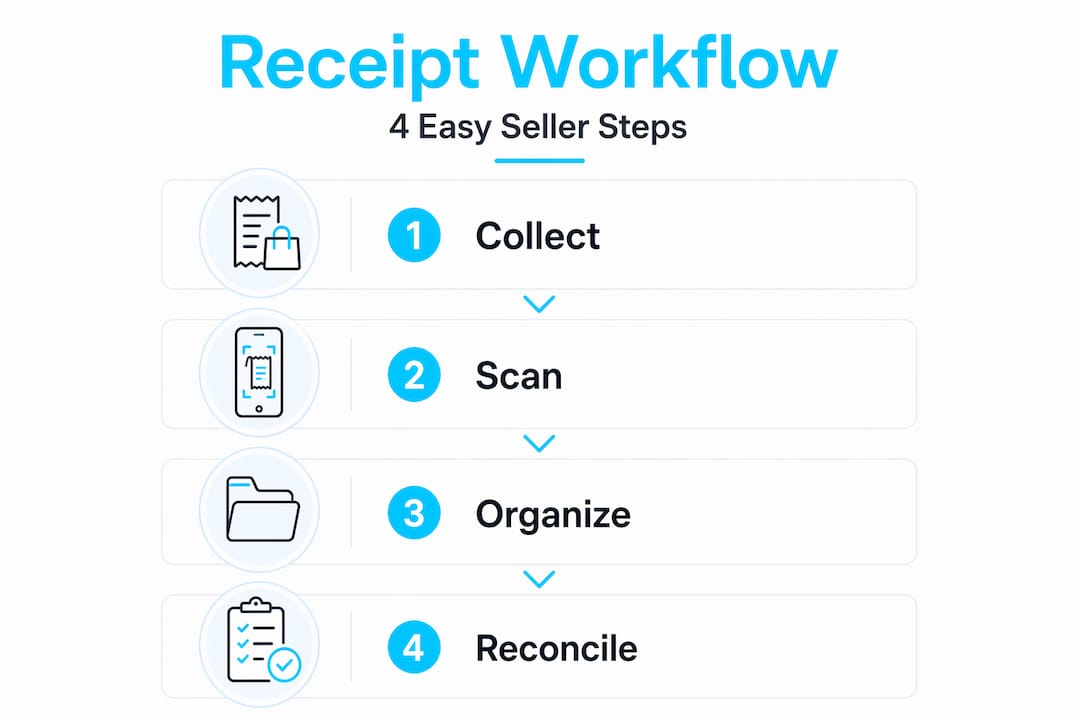
Having the right tools is only half the job. The other half is following a process consistently. Here's a workflow that works whether you sell on one platform or five.
-
Capture at the moment of transaction. Take a photo, forward the email, or download the PDF before you do anything else. Receipts you plan to "deal with later" are receipts you'll lose.
-
Tag by category immediately. Assign each receipt to a category like shipping, inventory, software, or advertising. AI-powered scanning apps with OCR can do this automatically, but you should verify the assignment before moving on.
-
Link receipts to specific orders or payouts. When you buy 50 shipping labels for a batch of orders, note which sales period those costs belong to. This makes reconciliation far easier later.
-
Store in a searchable digital system. File names should include the vendor name, date, and amount. A receipt labeled "2026-03-15_USPS_shipping_42.00.pdf" is infinitely more useful than "receipt_scan_003.jpg."
-
Review and reconcile weekly. Set aside 20 minutes every week to confirm that every transaction in your bank account has a matching receipt. Catching a missing receipt the same week it happened is much easier than reconstructing it three months later.
-
Archive completed months. Once a month is reconciled and closed, move those records into a long-term archive folder. Keep them for at least seven years to cover IRS audit windows.
Pro Tip: If you sell on multiple platforms, create a subfolder for each one inside your monthly archive. Mixing Amazon and Etsy records in the same folder turns a 10-minute review into a 45-minute search.
The single biggest mistake sellers make is treating receipt management as a tax-season task. It's actually a weekly habit. Sellers who spend 20 minutes per week on their records save an average of several hours during tax prep, and they catch discrepancies while the details are still fresh.

Understanding payout reconciliation
This is where most sellers get genuinely confused, and it's not their fault. Your marketplace dashboard shows gross sales. Your bank account shows a deposit. Those two numbers almost never match, and the gap between them is where accounting errors hide.
Platform fees, timing differences, and reserves cause bank deposits to differ significantly from reported sales. Amazon, for example, deducts referral fees, FBA fees, advertising costs, and sometimes holds a reserve before releasing funds. Etsy deducts transaction fees, payment processing fees, and offsite ad fees. By the time money hits your account, it may represent sales from a two-week period minus four different fee types.
Here's what each reconciliation element requires in terms of receipt documentation:
| Reconciliation element | What it represents | Documentation needed |
|---|---|---|
| Gross sales | Total order revenue before any deductions | Order confirmation records from marketplace |
| Platform fees | Referral, listing, FBA, or transaction fees | Monthly fee statement from marketplace |
| Advertising costs | Sponsored ads or promoted listings | Ad campaign reports |
| Refunds and adjustments | Returned orders or seller-initiated credits | Refund confirmation emails |
| Net payout | Actual bank deposit after all deductions | Bank statement matching payout report |
Reconciling orders, fees, and bank data on a regular schedule is what separates sellers who know their actual profit from those who are guessing. The process involves exporting your order report, your fee statement, and your bank transactions, then matching them line by line.
- Export your marketplace settlement report at the end of each payout period.
- Compare total gross sales to total fees deducted to calculate expected net payout.
- Match the expected net payout against the actual bank deposit.
- Flag any discrepancy greater than a few dollars for investigation.
- Attach the relevant receipts and fee statements to each reconciled period.
Pro Tip: If your marketplace offers a downloadable transaction report in CSV format, import it directly into your accounting software. Manual re-entry of fee data is where transcription errors multiply fast.
Troubleshooting common receipt challenges
Even with a solid system, things go wrong. Here's how to handle the most common problems sellers run into.
Missing receipts. If you lose a receipt, don't panic. A detailed log with vendor name, date, amount, and item description can satisfy IRS documentation requirements in many cases. Create a substitute document as soon as you realize the receipt is gone, while the details are still fresh. Bank and credit card statements can also serve as corroborating evidence.
Legal compliance gaps. This is the one that surprises most sellers. Simply digitizing receipts by taking photos is not enough for legal compliance. Audit-ready digital storage requires certified archiving with timestamps and metadata that prove the file has not been altered. A photo in your camera roll does not meet that standard. Use a platform that stores files in a certified digital vault, such as those built on Amazon Glacier or equivalent infrastructure.
Audit preparation. The IRS can audit returns up to three years back in standard cases and up to six years if they suspect significant underreporting. That means your 2026 records need to be accessible and organized through at least 2032. Build your archive with that timeline in mind from the start.
Here are the most common receipt management problems and their fixes:
- Receipts lost before capture: Set a rule that no receipt leaves your hand until it's photographed or forwarded.
- Mismatched amounts in reconciliation: Always reconcile at the transaction level, not just the monthly total.
- Unsupported file formats: Convert all receipts to PDF before archiving. PDFs preserve formatting and are universally accepted.
- No backup copies: Store receipts in at least two locations, such as cloud storage and a local drive.
- Outdated records: Review your archive structure annually and purge records that are past the retention window.
Pro Tip: Before handing records to your CPA, run a quick completeness check. For every month, confirm you have a bank statement, a marketplace fee statement, and receipts for every expense category. A five-minute check saves your accountant an hour of back-and-forth.
My honest take on receipt management as a seller
I've watched sellers lose hundreds of dollars in legitimate deductions because they couldn't produce documentation at tax time. Not because they didn't spend the money. Because they couldn't prove it.
Here's what I've learned after years of working with marketplace sellers on their finances: the sellers who treat receipt management as a financial discipline, not a filing chore, consistently come out ahead. They know their actual margins. They hand their CPAs organized records and pay lower accounting fees for it. They walk into audits with confidence instead of dread.
The contrarian view I'll offer is this: manual receipt filing is not a virtue. I've heard sellers say they prefer to handle everything by hand because they "know where everything is." In my experience, that confidence evaporates the moment someone asks them to produce a specific receipt from 14 months ago. Automated digital systems don't just save time. They create a paper trail that manual filing simply cannot replicate at scale.
The sellers who resist automation are usually the ones spending the most time on accounting and getting the least accurate results. Technology has made digital receipt storage reliable, legally compliant, and genuinely faster than any manual alternative. The question isn't whether to automate. It's how soon.
— Michael
How Typezero handles this for you automatically
If the workflow above sounds like a lot to manage on top of running your actual business, that's because it is. Typezero was built specifically to remove the manual work from receipt and invoice management.

You forward your email receipts to Typezero, or upload documents directly, and the AI automatically extracts the vendor name, amount, date, and expense category. No manual entry. No sorting folders. No missed deductions because a receipt got buried in your inbox. Your records stay organized, searchable, and ready for tax prep or CPA handoff at any time. Typezero uses 256-bit encryption to keep your financial data secure, and the organized output cuts tax preparation from hours down to minutes. For marketplace sellers juggling receipts across multiple platforms, that time savings adds up to real money.
Start automating your receipts and see how much time you get back in your first week.
FAQ
What is marketplace seller receipt management?
Marketplace seller receipt management is the process of capturing, organizing, storing, and reconciling all financial documents related to your selling activity, including purchase receipts, platform fee statements, and payout records, so your accounting and tax records are accurate and complete.
How long should marketplace sellers keep receipts?
The IRS recommends keeping business records for at least three years from the filing date, but up to six years if income was significantly underreported. Most tax professionals advise keeping all marketplace financial records for seven years to be safe.
Do digital receipts count for tax purposes?
Yes, digital receipts are accepted by the IRS, but legally compliant storage requires that files include timestamps and metadata confirming they have not been altered. A screenshot or camera roll photo may not meet audit standards without certified archiving.
Why doesn't my bank deposit match my marketplace sales total?
Fees, reserves, and timing differences between when orders are placed and when funds are released cause your bank deposit to differ from your gross sales figure. Regular reconciliation against your marketplace settlement report explains the gap.
What can I use if I lost a receipt?
A substitute document that includes the vendor name, purchase date, amount, and description of the item or service can satisfy IRS requirements in many cases. Bank or credit card statements that show the transaction provide additional supporting evidence.